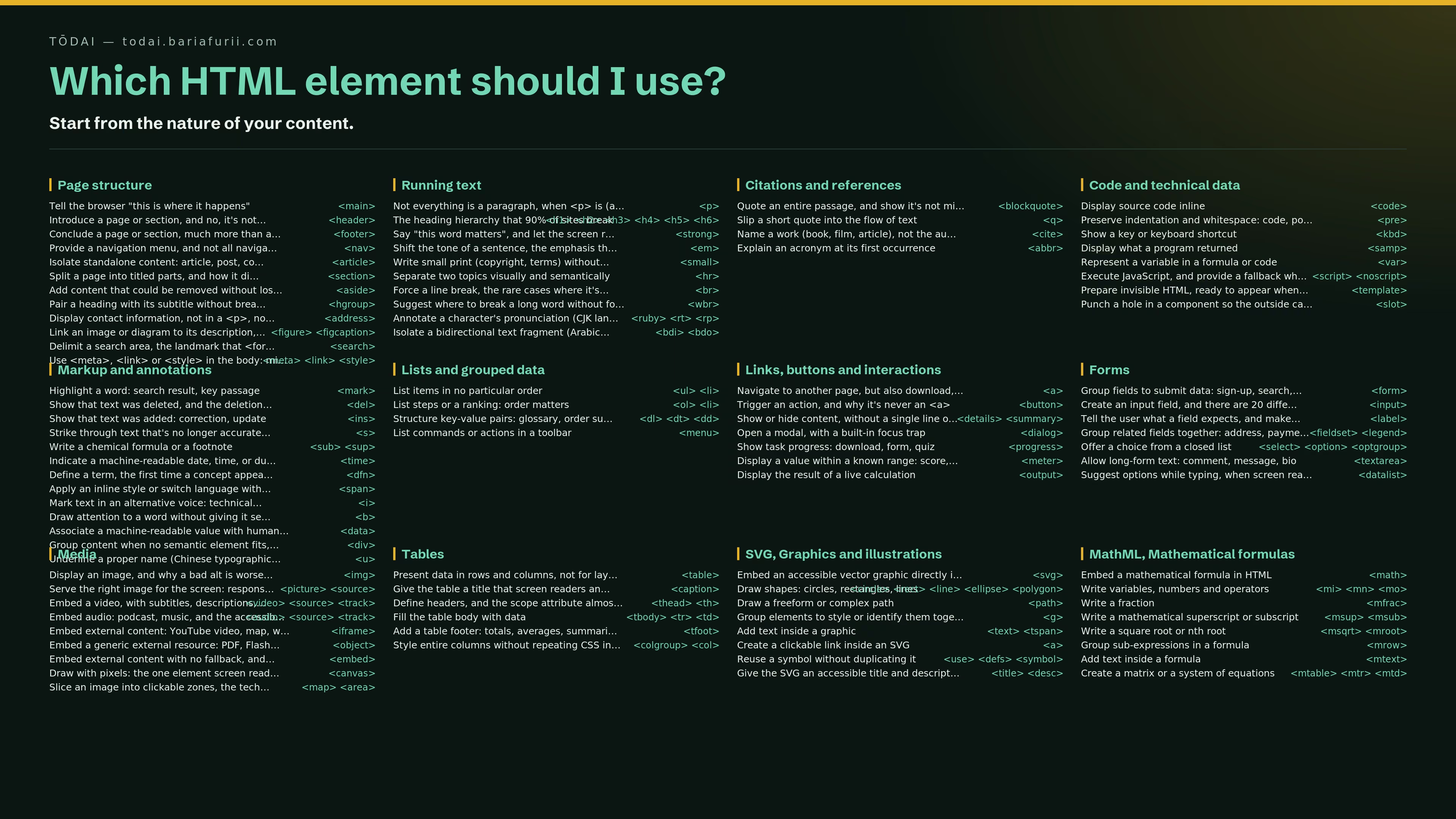
Which HTML element should I use?
Table of contents
129 HTML, SVG and MathML elements usable in the body
HTML,
SVG and
MathML total
129 usable elements between the <body> tags. Most projects use about
ten of them, and fill the rest with <div>s.
It's not about laziness. It's about visibility. You don't pick an element you don't know about. And you don't look for an element when you don't know it exists.
This page flips the approach. Instead of listing elements and explaining what they do, it starts from what you want to do, your intent, and shows you the element that fits.
Each intent links to a dedicated micro-article: what it is, when to use it, what you gain in accessibility, SEO and GEO, a code example, and links to the specs.
Start from the nature of your content
Page structure12
- Tell the browser "this is where it happens"<main>
- Introduce a page or section, and no, it's not just a logo<header>
- Conclude a page or section, much more than a © at the bottom<footer>
- Provide a navigation menu, and not all navigations are equal<nav>
- Isolate standalone content: article, post, comment<article>
- Split a page into titled parts, and how it differs from <article><section>
- Add content that could be removed without losing anything<aside>
- Pair a heading with its subtitle without breaking the hierarchy<hgroup>
- Display contact information, not in a <p>, not in a <div><address>
- Link an image or diagram to its description, even if you move them together<figure> <figcaption>
- Delimit a search area, the landmark that <form> doesn't create<search>
- Use <meta>, <link> or <style> in the body: microdata, resource hints, inline CSS<meta> <link> <style>
Running text10
- Not everything is a paragraph, when <p> is (and isn't) the answer<p>
- The heading hierarchy that 90% of sites break<h1> <h2> <h3> <h4> <h5> <h6>
- Say "this word matters", and let the screen reader know<strong>
- Shift the tone of a sentence, the emphasis that italics alone can't carry<em>
- Write small print (copyright, terms) without drowning them<small>
- Separate two topics visually and semantically<hr>
- Force a line break, the rare cases where it's legitimate<br>
- Suggest where to break a long word without forcing the break<wbr>
- Annotate a character's pronunciation (CJK languages)<ruby> <rt> <rp>
- Isolate a bidirectional text fragment (Arabic, Hebrew)<bdi> <bdo>
Citations and references4
Code and technical data8
- Display source code inline<code>
- Preserve indentation and whitespace: code, poetry, ASCII art<pre>
- Show a key or keyboard shortcut<kbd>
- Display what a program returned<samp>
- Represent a variable in a formula or code<var>
- Execute JavaScript, and provide a fallback when it's disabled<script> <noscript>
- Prepare invisible HTML, ready to appear when JavaScript decides<template>
- Punch a hole in a component so the outside can fill it<slot>
Markup and annotations13
- Highlight a word: search result, key passage<mark>
- Show that text was deleted, and the deletion matters<del>
- Show that text was added: correction, update<ins>
- Strike through text that's no longer accurate without removing it<s>
- Write a chemical formula or a footnote<sub> <sup>
- Indicate a machine-readable date, time, or duration<time>
- Define a term, the first time a concept appears<dfn>
- Apply an inline style or switch language within a sentence<span>
- Mark text in an alternative voice: technical term, inner thought<i>
- Draw attention to a word without giving it semantic importance<b>
- Associate a machine-readable value with human text<data>
- Group content when no semantic element fits, the last resort<div>
- Underline a proper name (Chinese typographic convention)<u>
Lists and grouped data4
Links, buttons and interactions7
- Navigate to another page, but also download, email, anchor<a>
- Trigger an action, and why it's never an <a><button>
- Show or hide content, without a single line of JavaScript<details> <summary>
- Open a modal, with a built-in focus trap<dialog>
- Show task progress: download, form, quiz<progress>
- Display a value within a known range: score, gauge, quota<meter>
- Display the result of a live calculation<output>
Forms7
- Group fields to submit data: sign-up, search, payment<form>
- Create an input field, and there are 20 different types<input>
- Tell the user what a field expects, and make it clickable<label>
- Group related fields together: address, payment, preferences<fieldset> <legend>
- Offer a choice from a closed list<select> <option> <optgroup>
- Allow long-form text: comment, message, bio<textarea>
- Suggest options while typing, when screen readers feel like it<datalist>
Media9
- Display an image, and why a bad alt is worse than none<img>
- Serve the right image for the screen: responsive, formats, art direction<picture> <source>
- Embed a video, with subtitles, descriptions, and no autoplay<video> <source> <track>
- Embed audio: podcast, music, and the accessibility traps<audio> <source> <track>
- Embed external content: YouTube video, map, widget<iframe>
- Embed a generic external resource: PDF, Flash (legacy), applet<object>
- Embed external content with no fallback, and why it's rarely a good idea<embed>
- Draw with pixels: the one element screen readers cannot read<canvas>
- Slice an image into clickable zones, the technique SVG made obsolete<map> <area>
Tables6
- Present data in rows and columns, not for layout<table>
- Give the table a title that screen readers announce<caption>
- Define headers, and the scope attribute almost nobody uses<thead> <th>
- Fill the table body with data<tbody> <tr> <td>
- Add a table footer: totals, averages, summaries<tfoot>
- Style entire columns without repeating CSS in every cell<colgroup> <col>
SVG, Graphics and illustrations8
- Embed an accessible vector graphic directly in HTML<svg>
- Draw shapes: circles, rectangles, lines<circle> <rect> <line> <ellipse> <polygon>
- Draw a freeform or complex path<path>
- Group elements to style or identify them together<g>
- Add text inside a graphic<text> <tspan>
- Create a clickable link inside an SVG<a>
- Reuse a symbol without duplicating it<use> <defs> <symbol>
- Give the SVG an accessible title and description<title> <desc>
MathML, Mathematical formulas8
- Embed a mathematical formula in HTML<math>
- Write variables, numbers and operators<mi> <mn> <mo>
- Write a fraction<mfrac>
- Write a mathematical superscript or subscript<msup> <msub>
- Write a square root or nth root<msqrt> <mroot>
- Group sub-expressions in a formula<mrow>
- Add text inside a formula<mtext>
- Create a matrix or a system of equations<mtable> <mtr> <mtd>
Why this approach
The question "which element should I use?" is the question nobody asks:
<div> is always there to fill the gap. But every <div> placed instead
of a semantic element
costs accessibility, performance,
SEO and GEO.
Semantics isn't a luxury. It's the foundation that screen readers, search engines and LLMs rely on when they choose their sources.
These elements exist for a reason. This page helps you find the right one.
At the time of writing, <selectedcontent>, <fencedframe> and
<geolocation> are still experimental and don't appear in the mind map.
The count will rise once they reach Baseline.
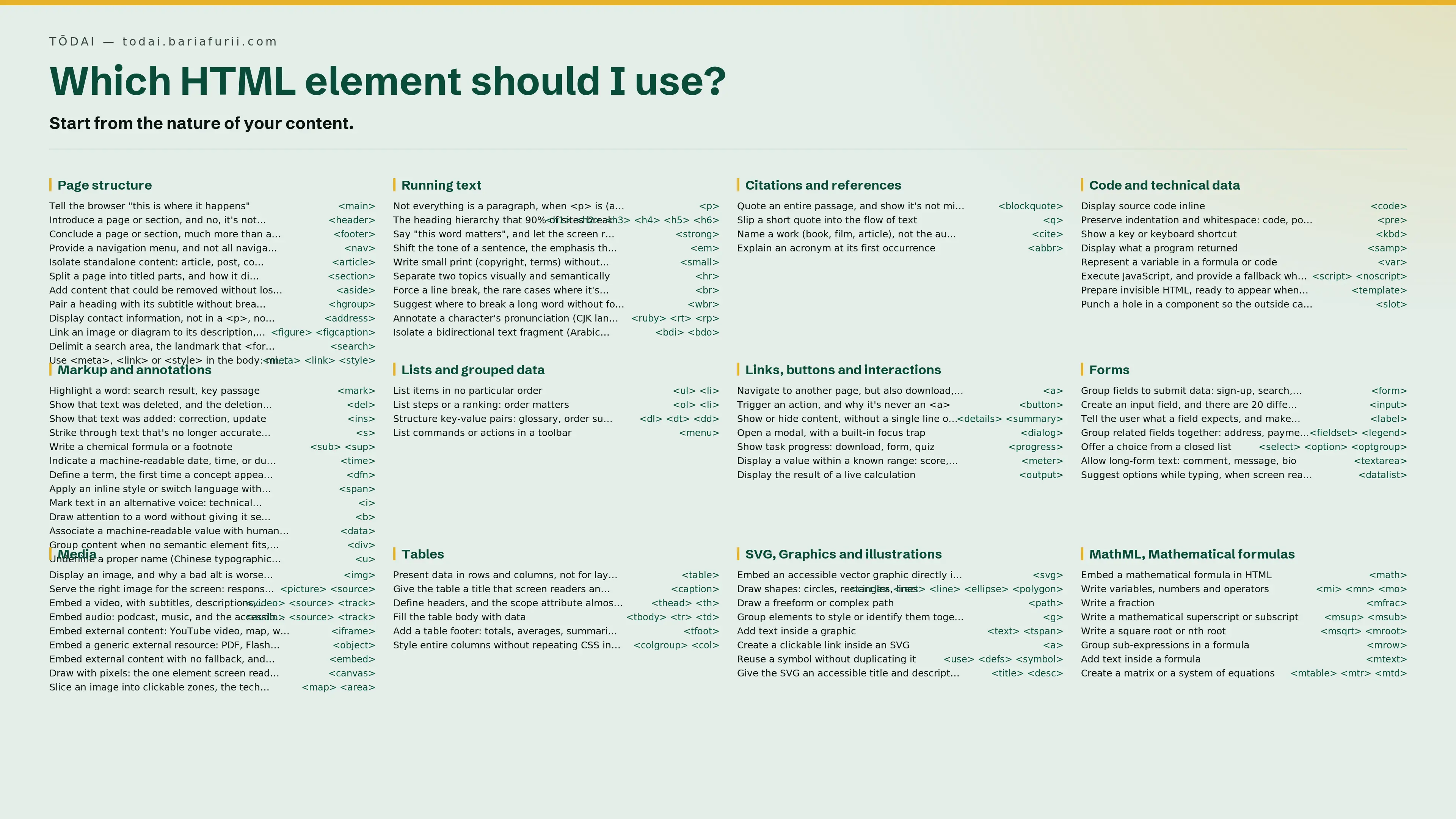
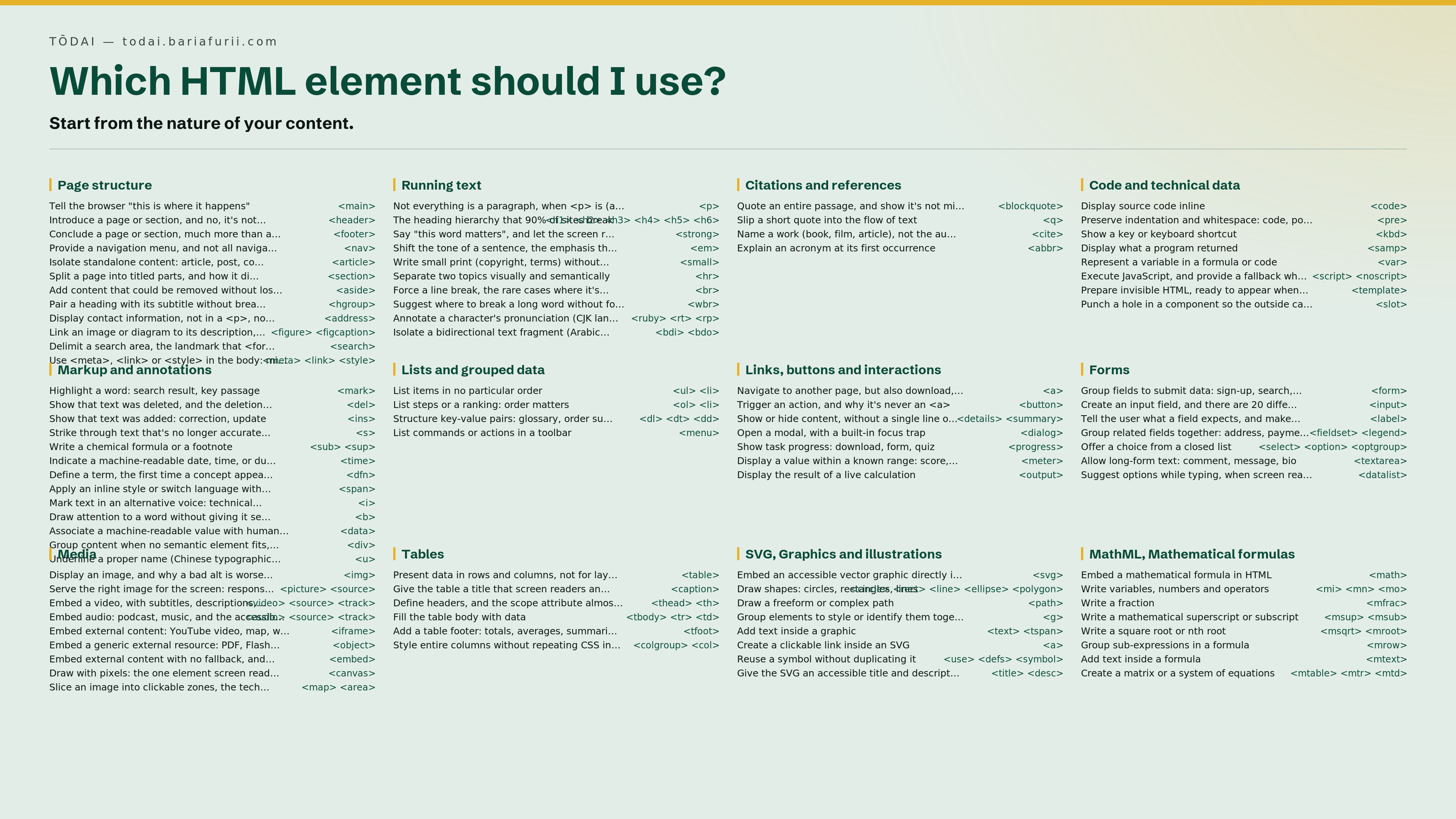
Download the mind map
Want to pin it to your desk, print it, or share it with your team? Download the full poster version.